C1Oxford 5000/ˈdɛk.ʃə.ˌnɛr.i/

deck·ion·ar·y noun

from deck (a set of cards) + dictionary. First known use — 2026.

  1. The Oxford Advanced Learner's Dictionary, reimagined — 76,000+ entries with definitions, examples, pronunciations, collocations, and word families, all in one polished app.

    “I looked up serendipity in the deckionary — the examples made it click.”

  2. A flashcard deck that learns you. FSRS-4.5 spaced repetition schedules each word at the moment you are about to forget it.

    “Ten minutes a day. Two years later, the Oxford 5000 — learned.”

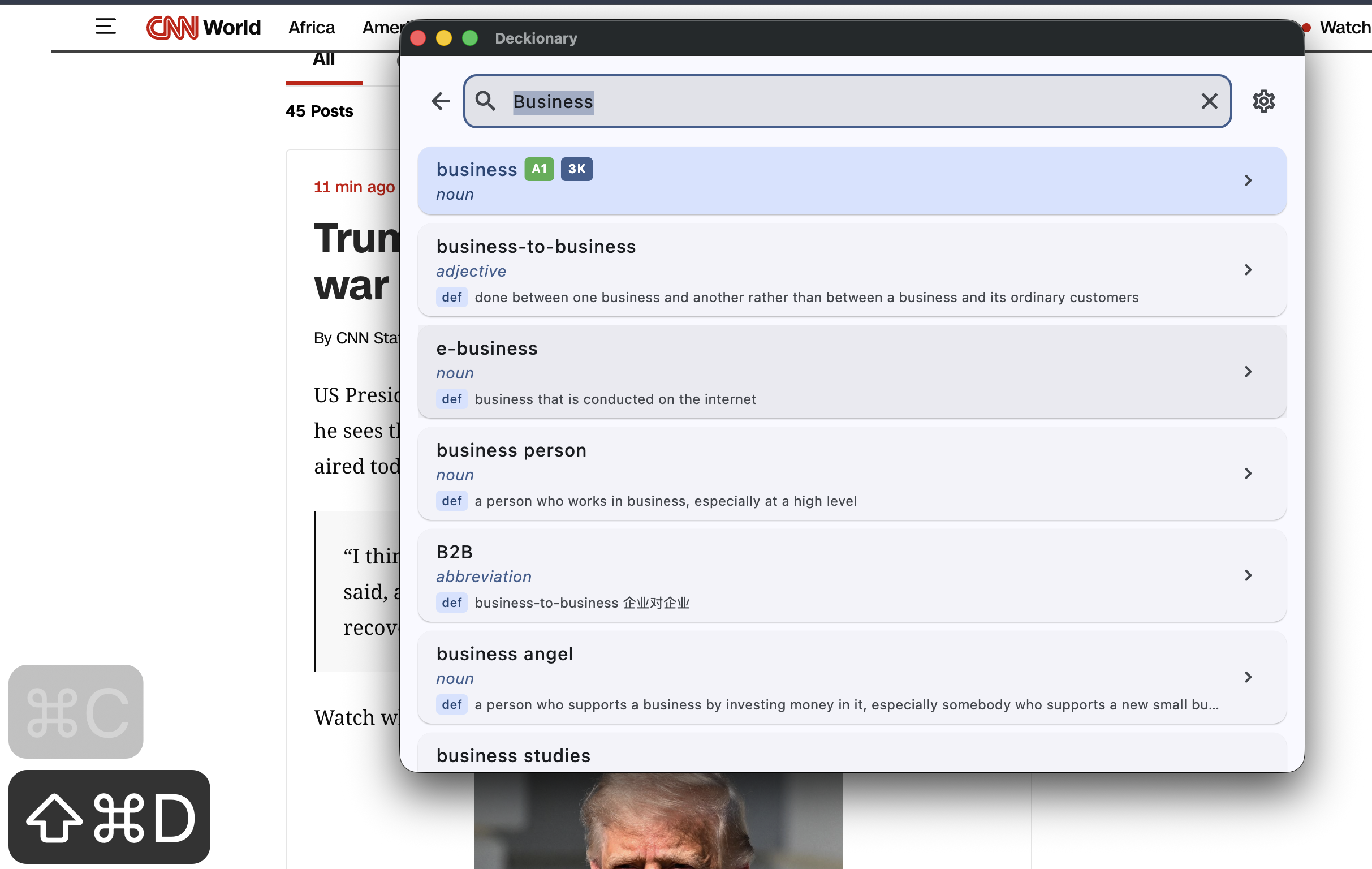
  3. On macOS, a keystroke. Press D from anywhere to summon the full dictionary over your current window.

    “Copy a word. Hit the hotkey. You already know what it means.”
v0.2.1 macOS · Android · iOS (soon) Free & open-source

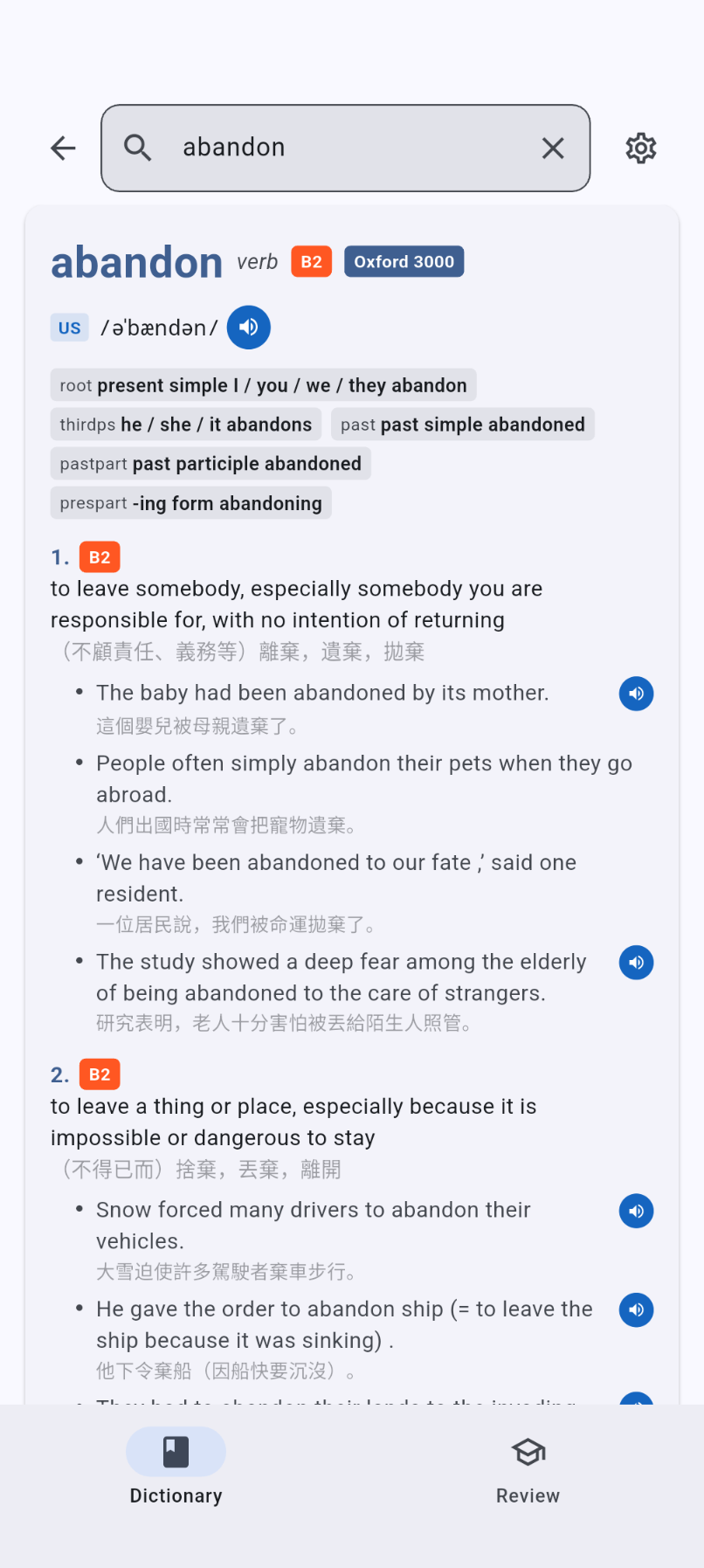
Deckionary dictionary view showing a full Oxford Advanced Learner's Dictionary entry with definitions, examples, and pronunciation controls.

— No. 01  ·  The dictionary

The Oxford Advanced Learner's Dictionary, in your pocket.

Every definition, every example, every pronunciation — the full OALD10. Not scraped. Not summarised. Not paraphrased by a model.

  • 76,000+ entries with verb forms, collocations, synonyms, and word families.
  • CEFR A1–C2 and Oxford 3000 / 5000 badges on every headword.
  • Multi-tier search: exact → variant → suffix strip → prefix → fuzzy. It finds what you meant.
  • US + GB audio for headwords, verb forms, and example sentences.
Dictionary entry showing definitions, examples, and CEFR level badges.

— No. 02  ·  The deck

Spaced repetition that actually respects your time.

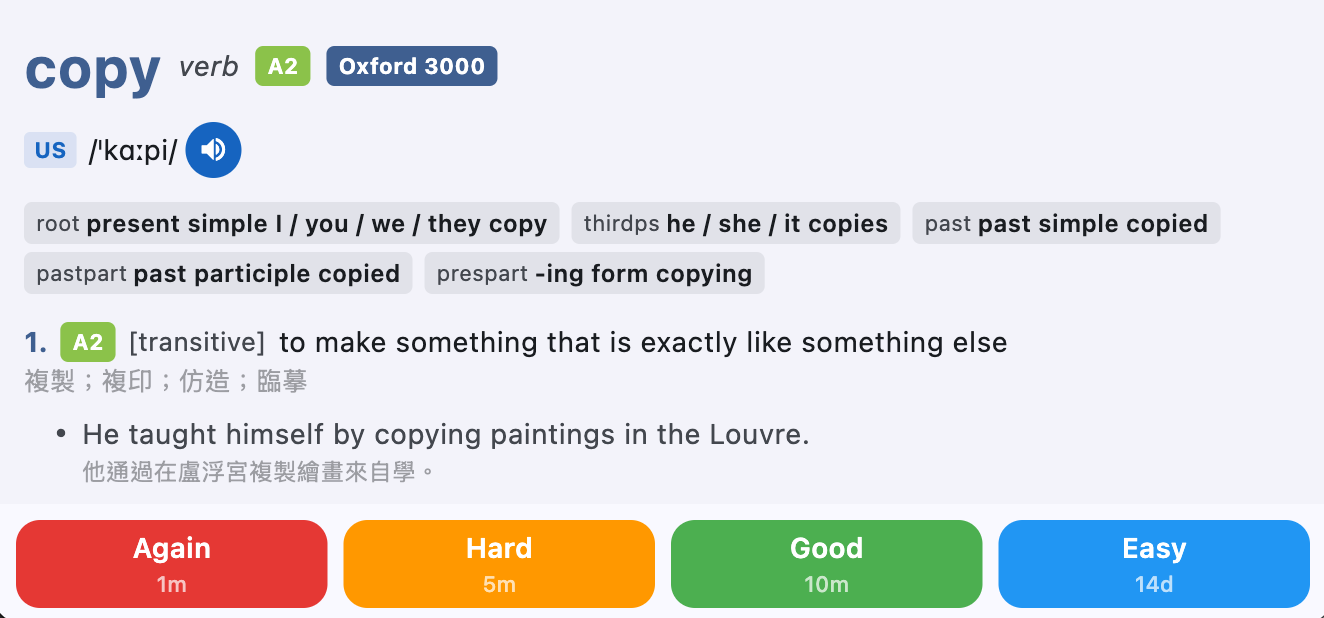
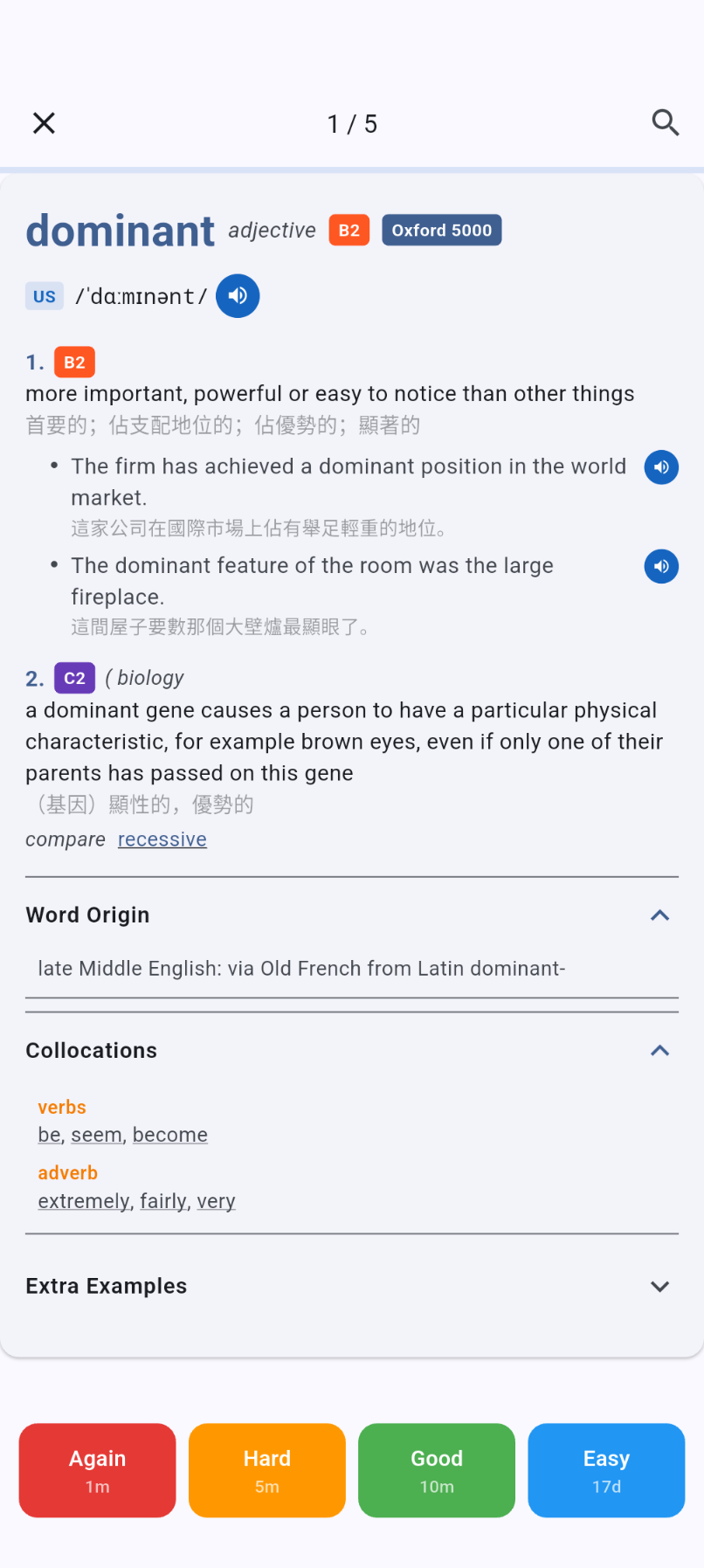
Flashcards are created lazily, as you look words up. No bulk imports, no thousand-card backlog on day one. FSRS-4.5 schedules each card to the moment you're about to forget it.

  • Four-button rating: Again Hard Good Easy.
  • Daily caps for new and review cards — set the pace you can actually keep.
  • Filter by CEFR level or Oxford 3000/5000 to focus on the words that matter.
  • Offline-first queue. Cancel the tab, close the laptop — your progress survives.
Review screen with FSRS rating buttons.

— No. 03  ·  macOS hotkey

A dictionary, one keystroke away.

From any app, any Space, any display — press the hotkey and Deckionary floats above your work. Copy a word to the clipboard first and it's already looked up.

  • Reassign the shortcut in Settings.
  • Optional menu-bar tray icon and launch-at-login.
  • Always-on-top window that follows the active display.
Deckionary floating over another macOS app after pressing Command+Shift+D.

— No. 04  ·  AI speaking coach

Say the word. Get graded.

Record yourself pronouncing a headword or example sentence. Whisper transcribes it, GPT scores it — and hands back per-word feedback so you know exactly which syllable slipped.

  • Shadowing mode with replayable local recordings.
  • Full session history — watch yourself improve, week by week.
  • Works on every platform; no desktop-only gates.

/ˌɛn.t͡ʃəˈlɑː.də/ — 92% match · nailed the stress

— No. 05  ·  Sync

Your words travel with you.

Sign in with Google once. Your search history, review queue, and settings follow you from Mac to phone to tablet.

  • Offline-first. Do the work now; sync handles the rest.
  • Last-write-wins across devices, with soft deletes and 30-day grace.
  • Row-level security on Supabase — your data, your rows, nobody else's.
Review session in progress on a phone screen.

— Get the app

Download Deckionary

Free. No account required. Latest release on GitHub.

Installing the unsigned macOS build
  1. Download Deckionary-macOS.zip from the latest release.
  2. Extract and move Deckionary.app to /Applications.
  3. Double-click. macOS will block it — click Done (do not move to Trash).
  4. Open System Settings → Privacy & Security, find the blocked Deckionary message, click Open Anyway.
  5. Confirm in the dialog. You only need to do this once.

— Frequently asked

Questions, answered.

Is Deckionary free?
Yes — download it from GitHub Releases. The full OALD10 dictionary, FSRS review, audio, and sync are all included at no cost.
Which platforms are supported?
macOS (universal) and Android (APK) are available today. iOS is in development.
Does it work offline?
Yes. The dictionary and your review queue are fully local. When you come back online, changes sync via Google Sign-In.
How is this different from Anki?
Deckionary is a dictionary first. Flashcards are created as you look words up — no bulk imports, no empty-deck grind. It uses the same modern FSRS-4.5 scheduler Anki ships, wrapped in a dictionary-native UX.
Where is the source code?
On GitHub. The Flutter client, the Supabase edge functions, and the OALD10 build pipeline are all in the same repository.